Loading...
Email Security Scanner
Find out what is reallyhappening in your inbox.
InboxWatch checks your email account for hidden threats, without ever reading your messages. Here is exactly what we look for and why it matters.
First 15 scans free. No credit card needed.
10
Threat categories
<60s
Results delivered
0
Emails read
What we can and can't see
We scan
- Email sender and recipient info
- Forwarding rules and filters
- Connected app permissions
- Sign-in history and security settings
- Mailbox access settings
- Email verification records
We never access
- ×Email body content
- ×Attachments or files
- ×Contact lists
- ×Calendar details
- ×Drive files
- ×Chat messages
Verify in your Google (opens in new tab) or Microsoft (opens in new tab) account settings.
What does InboxWatch look for?
Every scan answers the core questions about your email account. Here is what we check and why each one matters.
01
Is someone forwarding my emails?
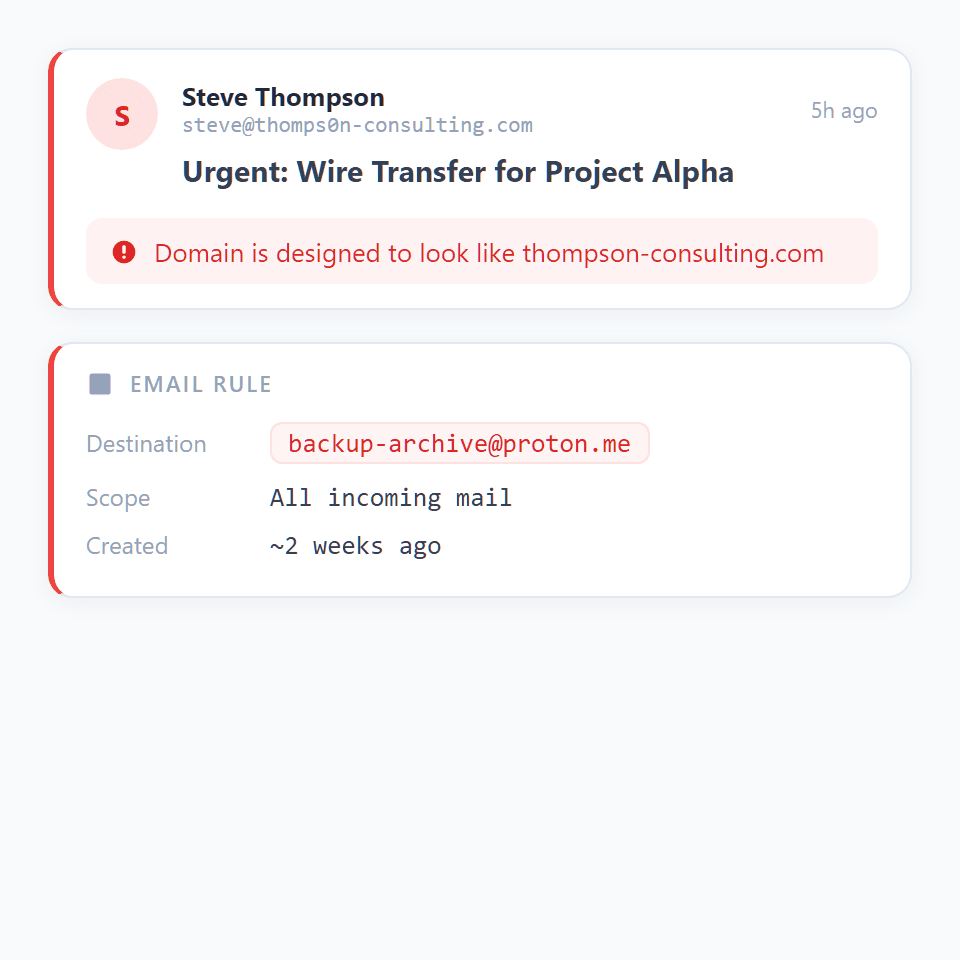
The most common way someone stays inside your account after getting in is by creating a hidden rule that quietly copies every email you receive to an outside address. You would never know unless you checked.
- Checks if any rule is silently forwarding your emails to an outside address
- Detects rules that delete or hide incoming messages so you never see them
- Flags forwarding to throwaway email services often used by scammers
- Spots rules that mark emails as read before you open them
- Identifies any registered forwarding address, even if it is not active yet
- Reviews your mail filters for anything that skips your inbox or auto-archives
02
Is someone pretending to be me?
Scammers register domains that look almost identical to yours, swap letters with lookalike characters, or simply put your name in the sender field. These tricks fool people into thinking an email came from you or someone you trust.
- Detects domains that swap letters for lookalike characters (e.g. rn instead of m)
- Spots domains with small typos designed to look like yours
- Flags emails where the display name says one thing but the actual sender is someone else
- Catches replies that would go to a different address than the one shown
- Identifies emails that fail verification checks, meaning the sender is not who they claim
- Scans for invisible characters used to disguise the real sender address
Flagged email · Lookalike domain
S
Google Support
support@g00gle.com
“Your account will be suspended in 24 hours. Verify your identity now.”
Typosquatting: google.com → g00gle.comReply-To mismatch
03
Did someone break into my account?
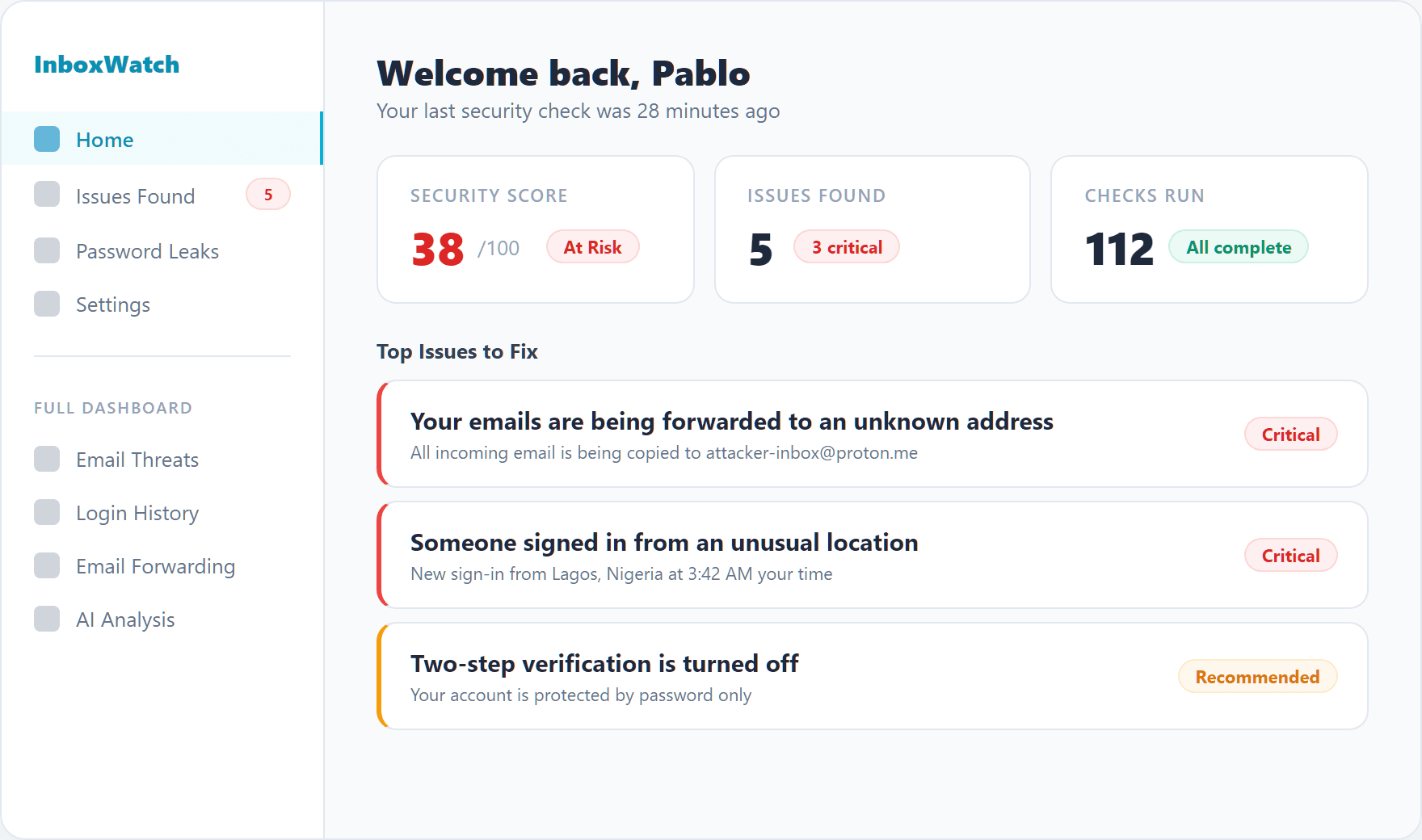
If someone logs into your account from an unusual location or device, you want to know right away. We check your sign-in history, connected apps, and security settings for anything that looks wrong. (Sign-in monitoring and connected-app inventory are Microsoft 365 only -- for Gmail accounts we link to Google's permissions page.)
- Flags logins from multiple countries within the same day Microsoft 365
- Detects repeated failed login attempts that may be a break-in attempt Microsoft 365
- Spots new devices accessing your account for the first time Microsoft 365
- Reviews connected apps for anything with risky permissions you did not approve Microsoft 365
- Checks whether two-step verification is turned on
- Identifies logins using older methods that skip your security protections Microsoft 365
04
Are my passwords leaked?
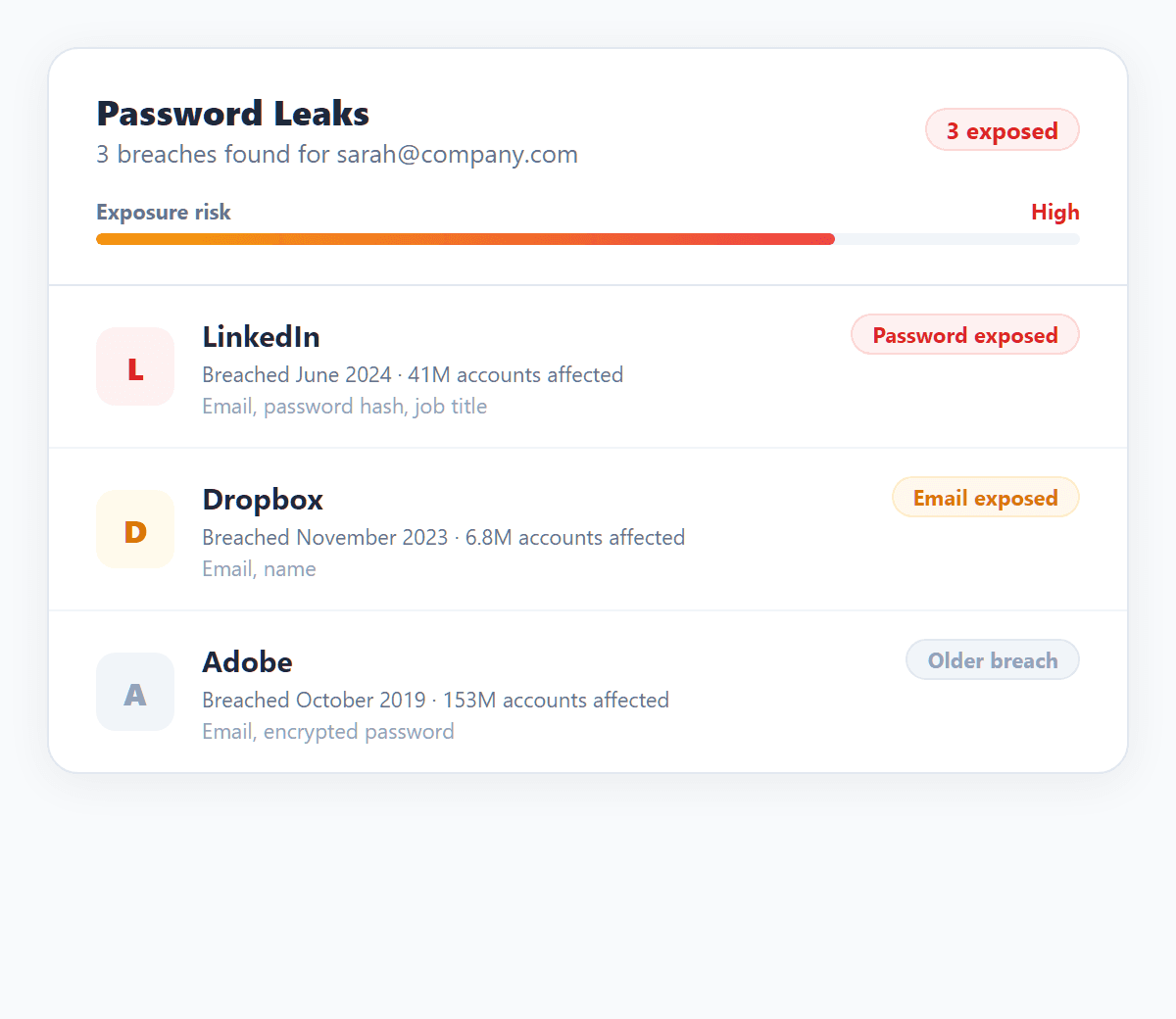
When a website you signed up for gets hacked, your email and password can end up for sale on the dark web. We check known breach databases to see if your credentials have been exposed.
- Searches known breach databases for your email address
- Alerts you if passwords linked to your email have been exposed
- Shows which breaches affected you and when they happened
- Provides clear steps to secure your account after each breach
05
Is this email safe?
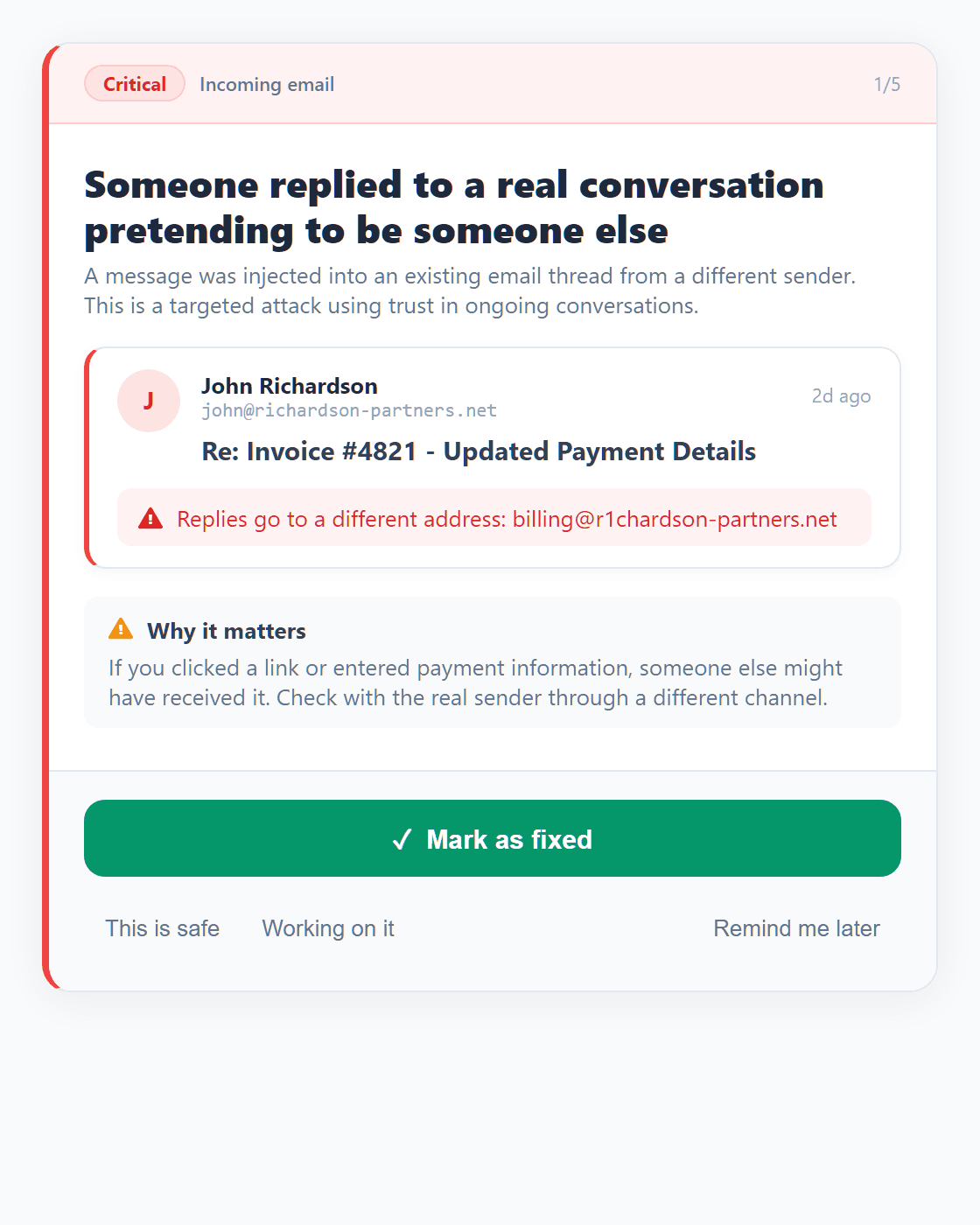
Not every dangerous email is obvious. We look at the signals behind each message to spot payment scams, fake meeting invites, and emails designed to trick you into clicking something harmful.
- Flags urgent payment or wire transfer requests that match common scam patterns
- Detects emails impersonating executives or company leaders
- Spots shortened links that may hide dangerous destinations
- Catches replies in existing conversations from someone who is not the original sender
- Identifies emails sent from servers that are not legitimate mail providers
- Checks calendar invites for suspicious links disguised as meeting URLs
06
Is my domain's email authentication working?
Three behind-the-scenes records (SPF, DKIM, and DMARC) tell receiving mail servers whether a message claiming to be from your domain is really from you. Misconfigured records are the single biggest reason legitimate email gets sent to spam and the single biggest opening attackers use to spoof your business. We check the records on every message we see and tell you exactly what to fix and where.
- Verifies SPF on every inbound message and flags any that fail
- Verifies DKIM signatures on every inbound message and flags any that fail
- Verifies DMARC alignment so spoofed senders can not pretend to be your domain
- Surfaces senders that consistently fail authentication so you can decide whether to trust them
- Highlights domains sending on your behalf without proper SPF authorization
- Tracks authentication trends per sender so a single failed message does not get flagged as broken
Domain authentication · yourcompany.com
SPF
Authorized senders verified
DKIM
Signature valid on every message
DMARC
Policy at p=none, so spoofing is not blocked yet
Included with every account
More than just a scanner
Every account includes continuous monitoring tools to keep you protected between scans.
Breach Monitor
ContinuousWe continuously check if your email or passwords have shown up in known data breaches.
Checks known breach databases for your email
Alerts you when exposed passwords are found
Shows a timeline of which breaches affected you
Gives clear steps to secure your account after each breach
Phishing Simulations
TrainingTest your team with realistic fake phishing emails. Track who clicks and build better security habits.
Customizable phishing templates
Track clicks and credential entries
Security awareness scoring per person
Campaign performance reports
Email Exposure Map
VisibilitySee every service and sender that has your email address, with trust grades and breach cross-references.
Trust grade (A through F) for each sender
Breach cross-reference per sender domain
Risk classification for every domain
Searchable sender inventory
Trusted Senders
ControlMark senders and apps you trust so they stop showing up as alerts. You decide what counts as a threat.
Trust by sender, domain, or app
Silence false alarms instantly
Stays in place across all future scans
Remove trust anytime
Scan your account for free.Results in under 60 seconds.
See which threats apply to you. No technical knowledge required.
First 15 scans free · No credit card required